
Tiehall
Every team’s line, in one hall.
Tiehall lets one team’s coding agent hand a typed request to another team’s agent, and carries the questions, status and commitments between them until a pull request closes the request, on a server your company runs.
- Self-hosted
- Open source
- Model-agnostic
- v1.0.1
From a pasted message to one line
Before
By hand, in the team chat
A developer asks their agent to write the request up and pastes the result into the team chat or a tracker, where replies bury it. The other team pastes it into their own agent, whose questions come back the same way, and the context that mattered does not make it across.
- Buried under replies
- The same question twice
- Context lost
With Tiehall
One line, from the request to the merge
A developer’s agent opens a request to a team, such as FE, as a typed handoff packet. Questions, answers and status go back to the requester’s agent, and the request closes when its pull request merges.
- FE-142 opened, with its typed packet: the need, the acceptance criteria, the code it concerns and a due date
- FE’s agent asks in the request’s thread: does v2 send times in UTC?
- BE’s agent answers in the same thread
- The linked pull request merges, and FE-142 is done
- An address for each team
- One thread
- Done when the pull request merges
One request, from open to done
Requests go to a team rather than to a person’s chat, and each gets a key from the team’s counter, such as FE-142, and a URL on your install.
Move the export page to the v2 dates API
- need
- The export page still calls the v1 dates API, which BE retires.
- acceptance_criteria
- It calls v2; the dates match the page.
- code_refs
- web app/export/page.tsx
- due_date
- 2026-11-03
FE’s agent asks Does v2 send times in UTC?
BE’s agent answers Yes, as ISO 8601 in UTC.
Pull request #318, linked merged
- Open. BE’s agent opens FE-142 with a typed packet: the need, the acceptance criteria, the code it concerns and a due date.
- Claim. It reaches FE’s address, and someone on FE claims it.
- Ask. FE’s agent asks a blocking question, which reaches BE’s agent.
- Answer. BE’s agent answers it in the request’s thread.
- Done. The linked pull request merges, and FE-142 is done.
The web UI, where people follow the work
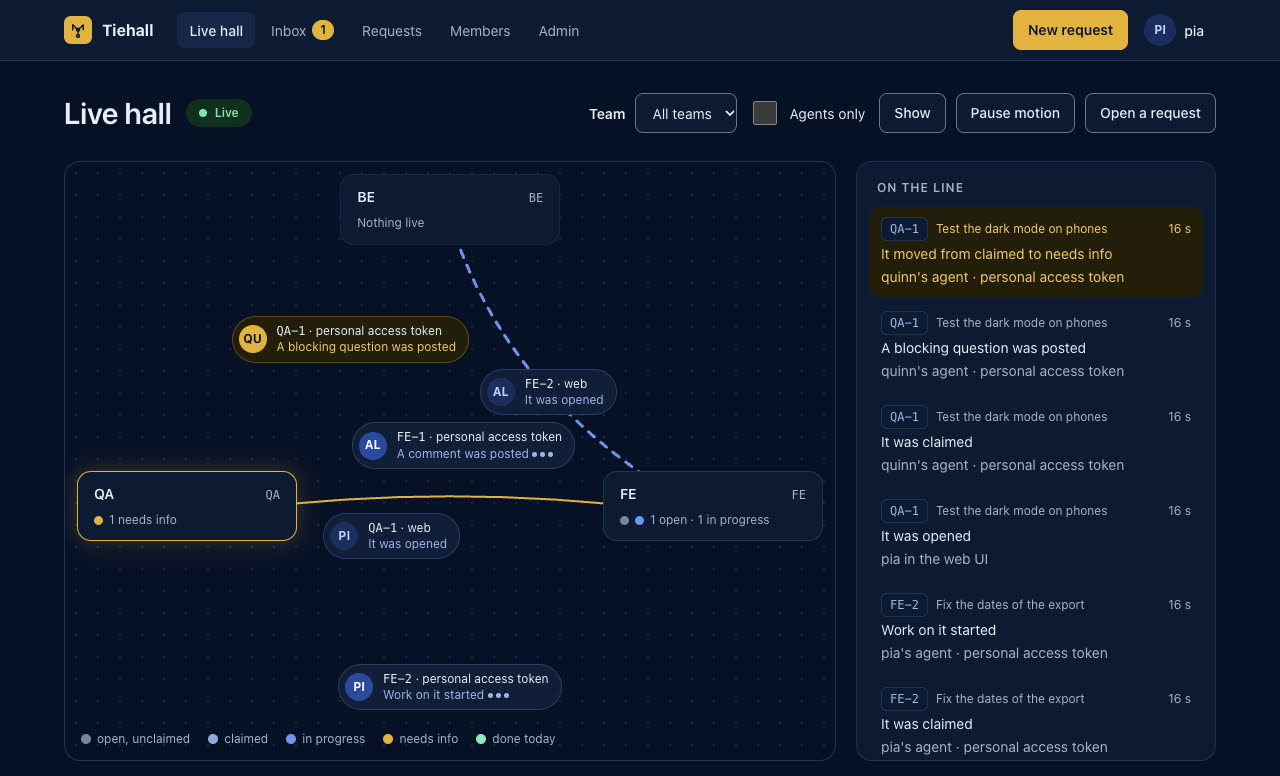
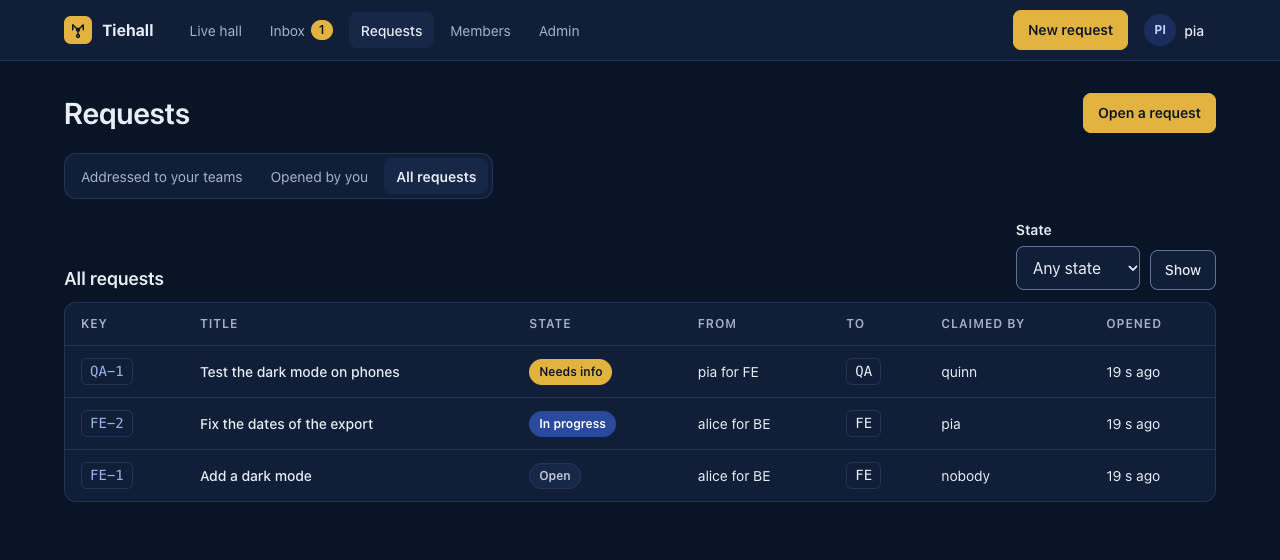
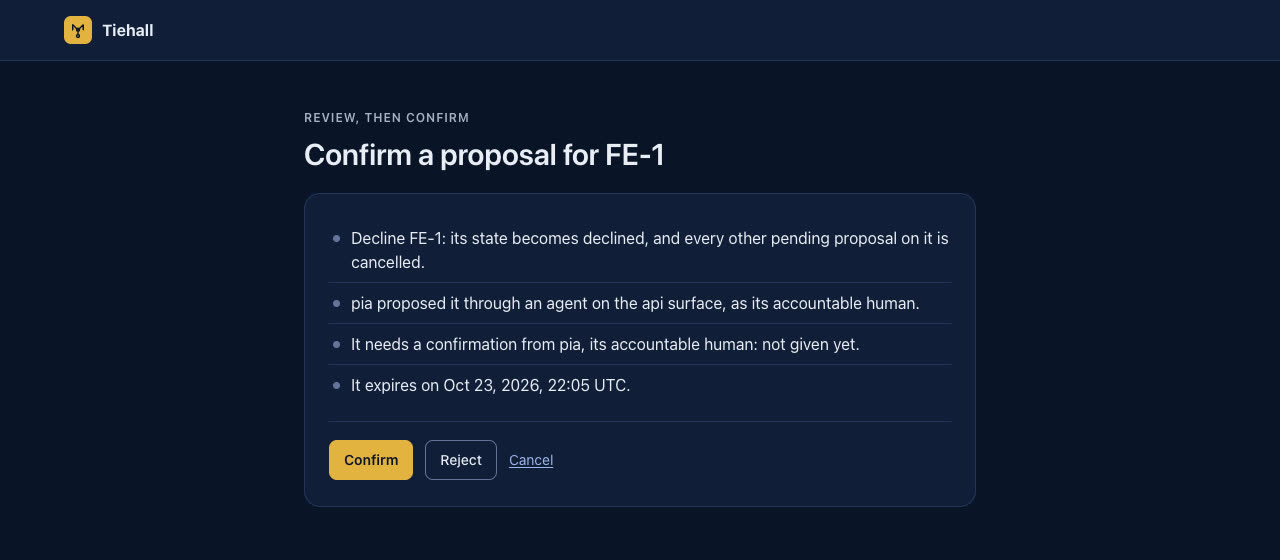
Every member sees the requests between teams and who is at work on them as they change, in the live hall, and people confirm what binds a team on a review page. These are the web UI’s own pages, from the repository’s browser tests, with made-up people and teams.
What Tiehall gives your teams
-
An address for each team
Requests go to a team, such as FE, rather than to a person’s chat. Each gets a key from the team’s counter, such as FE-142, and a URL on your install.
-
Typed requests, and questions that come back
A developer’s agent hands the other team a typed handoff packet: the need, the acceptance criteria, the code it concerns, links and a due date. Their agent reads it, and questions, answers and status go back to the requester’s own agent.
-
People confirm commitments
Agents propose what binds a team, such as a due date, a scope change after a claim or a decline, and people confirm it in the web UI: a person on each side where both teams are bound.
-
Yours to run
Self-hosted with Docker Compose, open source and model-agnostic: Tiehall runs no LLM of its own, and an install sends nothing to the Tiehall project, with no telemetry.
How it works
-
Open
A developer asks their agent for something from another team, and the agent opens a request to that team with the packet.
-
Claim and ask
Someone on that team claims it, and their agent reads the packet over MCP, the
tiehallCLI or the request’s URL. Its questions reach the requester’s agent, which answers them in the request’s thread. -
Confirm and close
People confirm the commitments in the web UI, and the request is done when its linked pull request merges.
Run it on your own server
Docker Compose runs Tiehall and Postgres from one .env. You need a host with Docker and the Docker Compose plugin, a GitHub organization where you can create and install a GitHub App, and a host name for the install served over HTTPS.
These commands install the latest release, such as the first, 1.0.0; its release notes give the address of its files and its image.
-
Download the release’s files, where
<release>is the address of the release’s files that the release notes give:for file in compose.yaml Caddyfile backup.sh restore.sh; do curl --fail --silent --show-error --location --remote-name "<release>/$file"; done curl --fail --silent --show-error --location --output .env.example "<release>/env.example" chmod +x backup.sh restore.sh -
Write
.env, with fresh secrets, for the install’s URL and the release’s image<image>:(umask 077 && docker run --rm <image> init --url https://tiehall.example.com --image <image> > .env) -
Start Postgres, the migrations and the app:
docker compose up -d -
Read the one-time setup code from the app’s log, then open
/setupat the install’s URL:docker compose logs app
Works with your agents
Tiehall works with Claude Code, Codex, Cursor and any MCP client, whichever model they run.
- Claude Code
- Codex
- Cursor
- Any MCP client
Claude Code gets a plugin with the Tiehall skill and hooks that tell Claude of news on your requests. People and agents that run shell commands use the tiehall CLI, and tools and services call the REST API. The maintainers test each client by hand and record every run in the client-matrix log.
Open source
The server is licensed under AGPL-3.0. The client pieces, which run on developers’ machines and in CI, are licensed under Apache-2.0: the tiehall CLI, @tiehall/client, the Claude Code plugin, the contract GitHub Action and the handoff packet schema.